Always improving
Changelog
New updates and improvements to YayemOS.
3.0
Feb 3, 2026
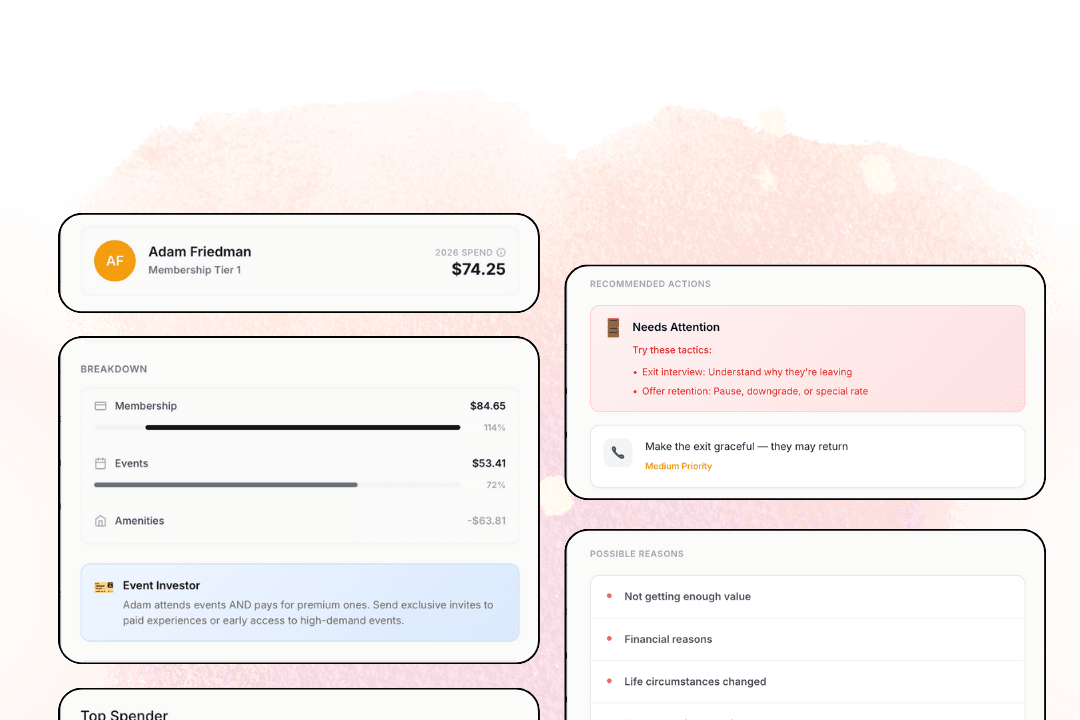
Member Insights
We’ve shipped our largest platform update to date — focused on giving you clearer insight, tighter control, and faster ways to act.
This release brings together powerful new insights and a fully redesigned admin experience for your entire team.
We’re excited to see how it helps your team spot opportunities sooner, respond faster, and operate with more confidence.
2.5.2
Jan 12, 2026
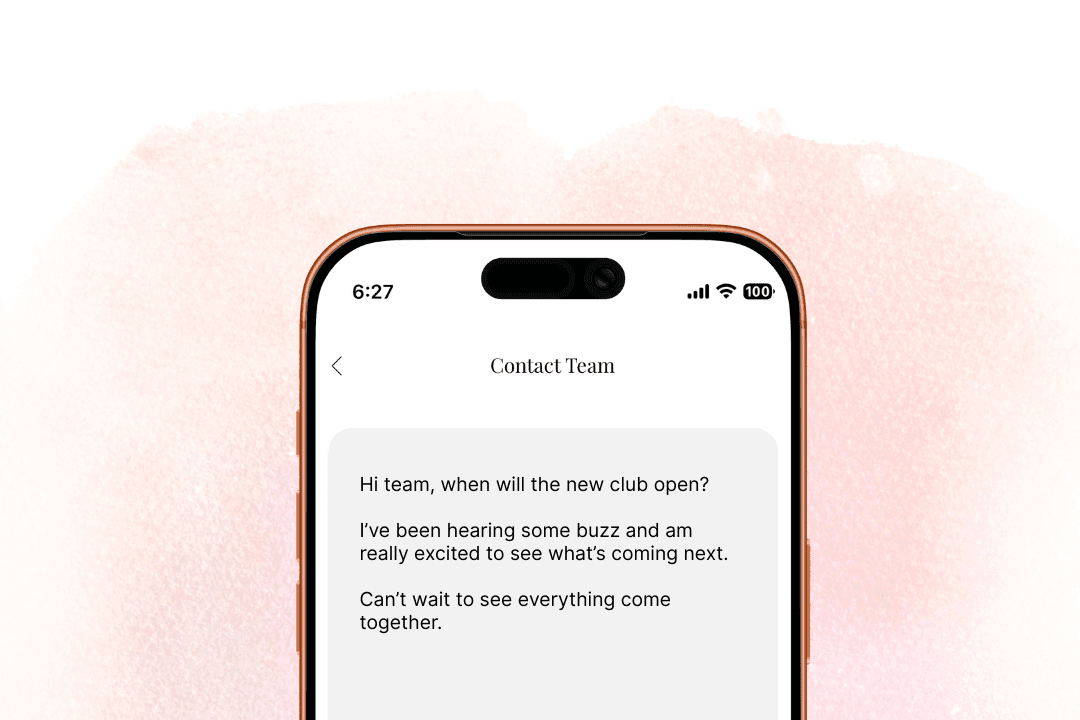
In-App Help Center
Members can now easily submit questions, feedback, or requests in a familiar, low-friction way—without emailing or switching platforms!
Each submission appears as a ticket in your admin dashboard, where your team can review details, respond via email, and close the loop. This makes it easier to manage member inquiries, maintain context, and ensure nothing falls through the cracks.
This feature is live by default and requires no additional setup!
2.5
Jan 7, 2026
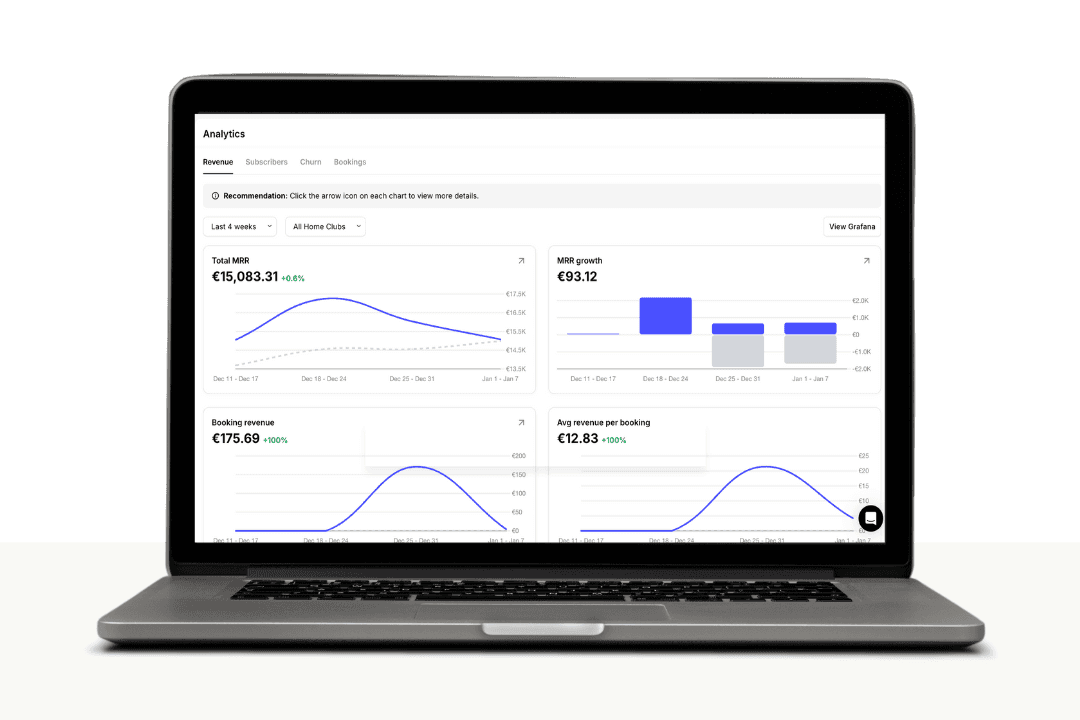
New Analytics Dashboard
We’ve rolled out Analytics in Yayem, giving Admins a clear, centralized view into revenue performance, member growth, churn, and bookings — all in one place.
Included views:
Revenue — MRR, growth, and trends over time
Subscribers — active members and changes over time
Churn — cancellations and retention signals
Bookings — booking revenue and average value
Filters allow you to adjust:
Time range (e.g. last 7 days)
Location / Venue context
Each chart includes an expand action to view more detailed breakdowns.
Clear, Actionable Metrics
Analytics is designed to surface signals quickly — not overwhelm you with noise.
You can now:
Track MRR and MRR growth at a glance
Understand booking revenue vs. average booking value
Spot downward or upward trends early
Compare performance across clubs using a consistent view
This is the foundation for deeper reporting. Additional breakdowns, exports, and advanced analytics will continue to roll out over time. If you have any questions about our BETA release, please always feel free to reach out!
v2.4
Dec 29, 2025
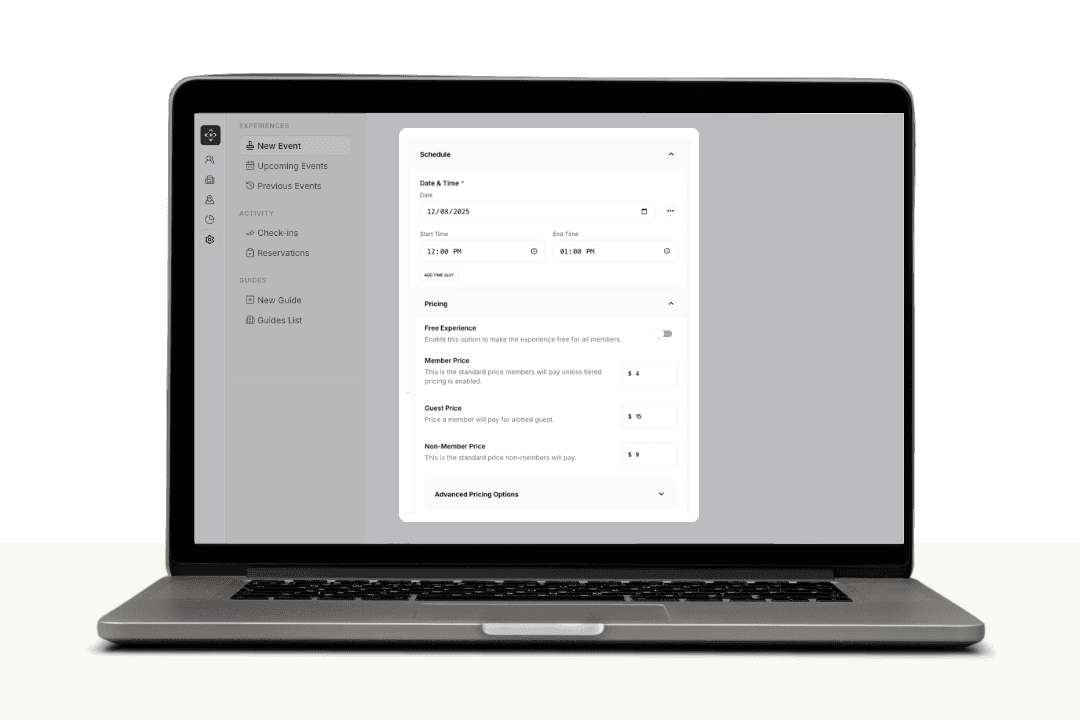
Event Creation & Guest Management
We’ve rolled out a new update to event creation in Yayem, introducing a redesigned setup, powerful new guest controls, and clearer Admin tools!
Redesigned Event Creation Flow
Creating an event is now faster and more intuitive. The new flow guides you through five focused sections:
Basics – Title, image, and description
Location – Host, venue, capacity, and event type
Schedule – Dates, time slots, and multi-session events
Access – Member access, guest rules, and public visibility
Pricing – Member, guest, non-member, and tiered pricing
You can move step-by-step using Next, or expand and edit sections in any order.
Managing Guests
You now have full control over guests — both who can attend and what they pay. New guest features include:
Allow Guests per event
Dedicated Guest Pricing, separate from member and non-member pricing
Updated Guest Info controlled by members from the mobile app
This enables common real-world scenarios like:
Members bringing guests at a preferred rate
Premium guest pricing for limited-capacity events
Members storing and updating guest info before events
Flexible Pricing, Made Clear
Pricing is now more expressive and easier to configure. All pricing options live in one place and are easy to reason about at a glance:
Standard member pricing
Guest-specific pricing
Non-member pricing for public events
Tiered pricing by membership level
Admin UI Improvements
We’ve also refreshed the Admin interface to improve clarity and consistency:
Collapsable sidebar
Cleaner layouts and spacing
Clearer action menus and confirmations
Improved attendee visibility and management
More consistent terminology and labels throughout
Terminology Updates
To better match how clubs actually operate, we’ve standardized language across the platform:
Experience → Event
Place → Venue
Space Resource → Amenity
This reduces friction for staff and makes the Admin experience more intuitive.
What You Should Do Next
Try creating your next event using the new flow
Review guest rules and pricing on existing events
Share the update with your team so everyone knows guests now have dedicated pricing
To explore: Log in to your admin account or head to our new Help Center and check out additional docs!
v2.3
Dec 23, 2025

Assigning Roles & Permissions
We’ve launched a new Roles & Permissions page in Yayem, giving you clear, role-based control over staff access across your community.
Yayem now supports two staff roles:
Managers — higher-level access for administrative and operational actions
Users — limited access for day-to-day coordination and support
Permissions are configured once per community and apply to everyone assigned to that role. Any updates you make take effect instantly.
Where to Find It
Login as an Admin
Open Settings
Select Roles & Permissions
From there, you can review and update what Managers and Users are allowed to do.
Permission Categories & Best Practices
Permissions are grouped by function to keep access intentional and easy to manage.
Recommended approach:
Grant Users only what they need to operate confidently
Reserve billing, refunds, and sensitive analytics for Managers
Revisit permissions whenever you add staff or new workflows
Notes:
Permissions are community-specific
Changes apply immediately
Permissions are role-based by design (no individual overrides)
View docs: Assigning Roles & Permissions
Plus: A Refreshed Admin Sidebar
Alongside roles and permissions, we’ve rolled out an updated Admin sidebar design to make navigation clearer, faster, and more consistent as the platform grows.
To explore: Log in to your admin account or head to our new Help Center and check out additional docs!
v2.2
Dec 12, 2025
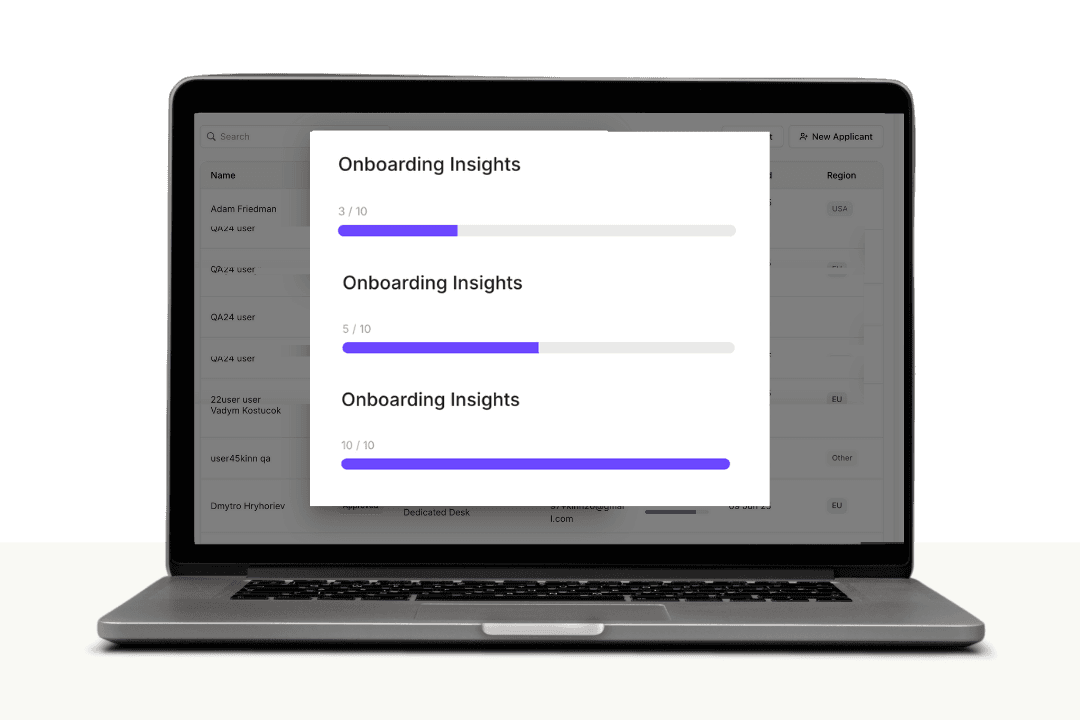
New Applicant Onboarding Tracker
We’ve added a new Applicant Onboarding Tracker (BETA) to the Applicants table, giving you quick visibility into how far applicants have progressed through onboarding steps.
The tracker shows completed steps out of the total and updates in real time as applicants move through the onboarding flow. It’s informational only and does not affect approval status.
Tracking applies to applications started on or after December 12, 2025.
View docs: Applicant Onboarding Tracker (BETA)
To explore: Log in to your admin account or head to our new Help Center and check out additional docs!
v2.1
Dec 2, 2025

Native Subscription Management
We’ve rolled out a full suite of tools to help you build and maintain subscription plans with greater precision and less manual work.
Create New Subscription Plans
You can now launch plans directly from your admin dashboard — including monthly, quarterly, semi-annual and annual tiered options. Everything is built to reduce setup time and keep your pricing structure clean and consistent.
View docs: Create a new subscription
Manage Existing Plans
Update names, descriptions, rules, and availability at any time. These changes apply instantly across your platform, ensuring members always see accurate information.
View docs: Manage existing plans
Add & Update Prices Within a Plan
Create new prices, update legacy ones, or phase out old tiers without disrupting active members. Perfect for seasonal pricing, annual adjustments, or rolling out new member types.
View docs: Manage prices within a plan
To explore: Log in to your admin account or head to our new Help Center and check out the docs!
v2.0.1
Nov 18, 2025
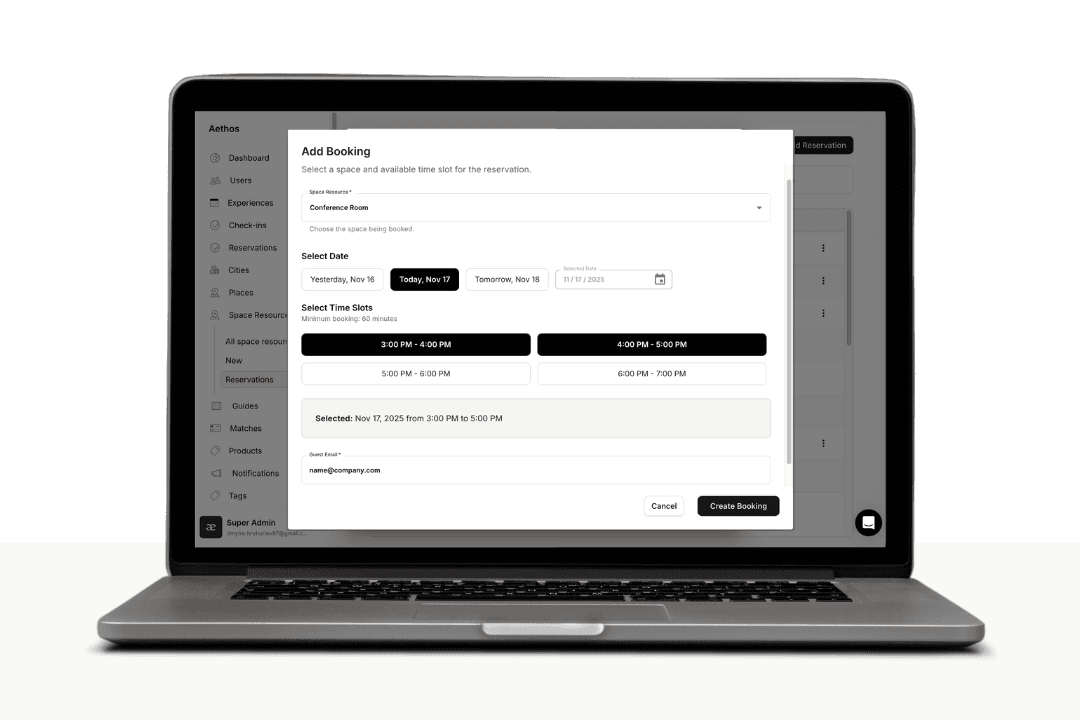
Smarter Booking Tools
Booking made easy. Our latest gives you more control over events, space bookings, and on-site operations — all designed to streamline your daily workflow and make member support faster and smoother:
Add or Remove Guests from Events
Admins can now manually add guests or members to any experience — perfect for VIPs, walk-ins, or last-minute help. You can also cancel any experience booking directly from the dashboard.
Add or Remove Space Reservations
You can now book any space on behalf of a guest or member right from the dashboard. Need to free up a room? Canceling a booking is just as quick, and the user receives an update instantly.
Smarter Schedule Management
Event and space bookings update in real time, helping you keep sessions, rooms, and resources accurate across your entire platform.
Cleaner, Faster Admin Tools
These updates improve how you manage reservations across experiences and spaces — reducing manual work and giving your team tighter control.
And More...
To explore: Log in to your admin account or head to our new Help Center and check out the docs!
v2.1
Oct 31, 2025
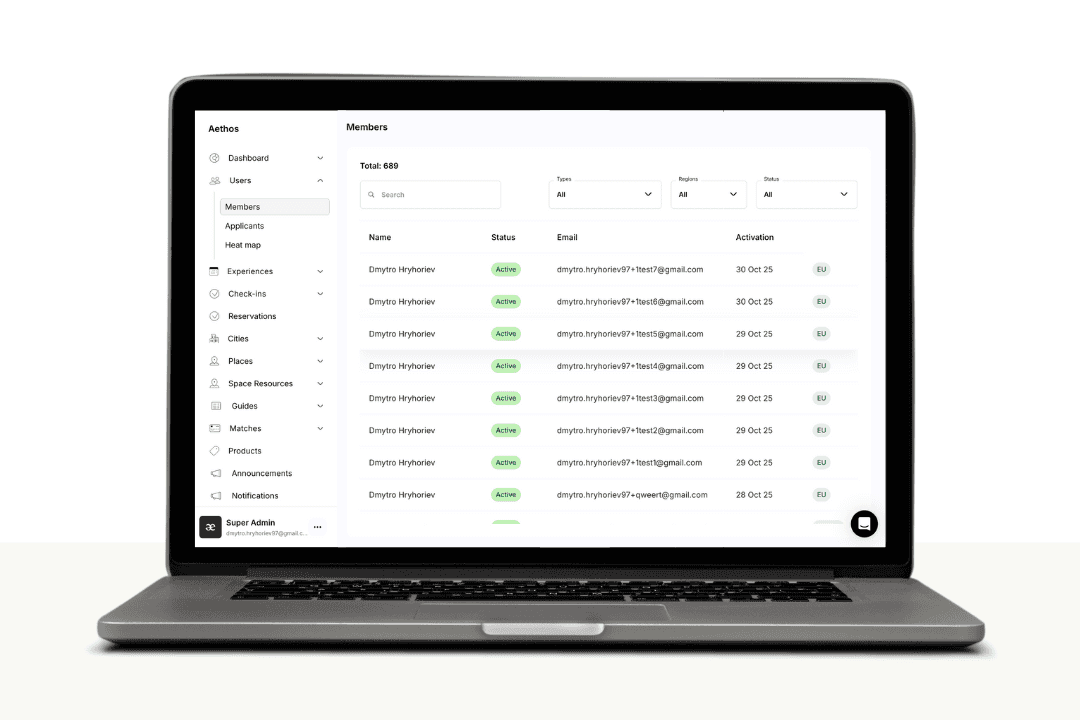
Get Personal with Our Newest Tools
Your toolkit just got stronger. Our latest gives you more control over memberships, easier refunds, smarter space management, and sharper branding tools — all designed to streamline your daily operations and keep your platform running smoothly:
Update or Cancel Memberships
Admins can now update or cancel a user’s active membership directly from their profile — no need to remove access manually.
User Transactions Table + Refunds
Easily view all payments linked to a user and process refunds from one place.
Company Branding + New Sidebar Design
Your company icon now appears in the sidebar for a more personalized workspace, alongside a refresh layout for faster navigation.
Space Resource Management
You can now view and manage bookings across all space resources — including both member and non-member reservations — all from one unified dashboard.
And More...
To explore: Log in to your admin account or head to our new Help Center and check out the docs!
v2.0
Oct 3, 2025
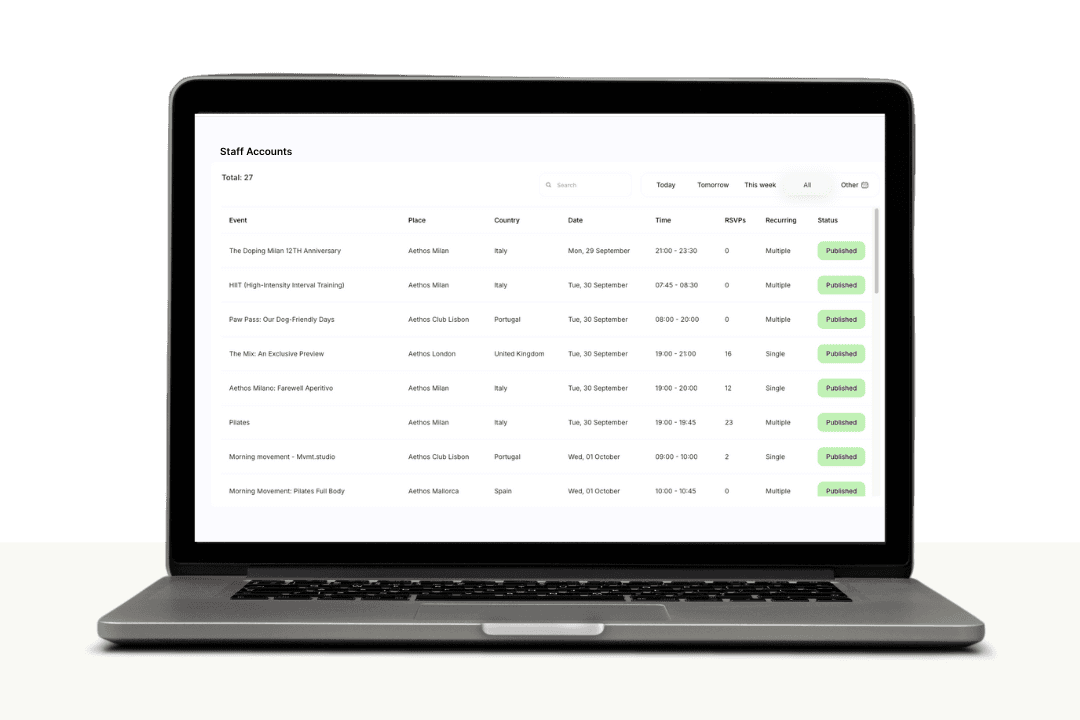
New Staff Management Tools
Staff Accounts — Roles & Email Invites (Beta)
Invite teammates from your Admin Dashboard to help run your platform.
Each invite can be set as:
Manager – helps operate and manage the platform without full admin access
User – limited day-to-day tasks without sensitive controls
Note: Roles are placeholders now and don’t yet enforce restrictions. This structure prepares for full permission controls in future updates.
To set up: go to Settings in your admin account. Please keep in mind that this feature is still in beta.
🎥 Watch Loom Video
To submit any new improvements, requests, or bugs, please view our public roadmap and feedback submission at 🔗 this link.